Showing posts with label video production. Show all posts

Tuesday, May 12, 2020

Week 5 — Technique not Technology


I took my students “walking” this week ...with a video presentation and 6 activities to gradually do over three days. I worked the virtual excursion into the recreational side of the general elective we’re studying using the activities to produce a model to assist them in creating a walk of their own in their local area.

It’s a relief getting away from my own workbook/video/quiz delivery for a week as I discover it is probably better to err on the side of giving less, more targeted work that can be done in the space of a day and be followed up in my mini lessons by phone (or in the case of three students now, an individual video call via Messenger).

Note to self: don’t overwhelm them with too much material. Spread it out. What endlessly fascinates me about teaching online is the realisation that most of the principles that apply to good classroom teaching also apply here. It’s about technique and not just technology.

I’ve left the video and half the activities open for anyone to access.

https://dalepobega.blogspot.com/2020/05/week-5-term-2-virtual-excursion.html
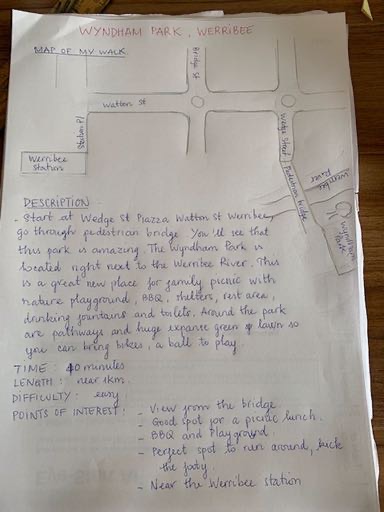
Student work (posted with permission)

Tuesday, April 21, 2020

Week 2 —- Video Production On the Fly

***


An unexpected advance in the production of my Workbook videos - PowerPoint, a program I generally hate, but which I’ve discovered is very good for creating video presentations (if you have a relative recent version of the program). 

I used my iPad camera, screencast-o-matic and Adobe Scan to produce the video for my Week 1 Workbook - a circuitous but quick process (advantage) but fairly scrappy end-product visually (disadvantage).

This time I simply dumped screenshots from the workbook into a series of PowerPoint slides, used voice narration for each slide and exported as a video (MP4). I then uploaded to YouTube.

PROs - 

1) Very easy, practically automated process. No problems converting presentation to video. There are loads of simple YouTube tutorials to follow if you get stumped;
2) Good quality audio (voice over narration) and resolution;
3) Facility to easily edit voice over narration;
4) Can use call outs, shapes, pointers, text boxes, drawing and other tools to enhance slides.

CONs - 

1) Tend to spend a lot more time on initial creation of the presentation as there are more tool choices;
2) Took a long to time to export presentation to video;
3) Huge file size (from 30MB presentation to 250MB video) - slow upload time to YouTube.